
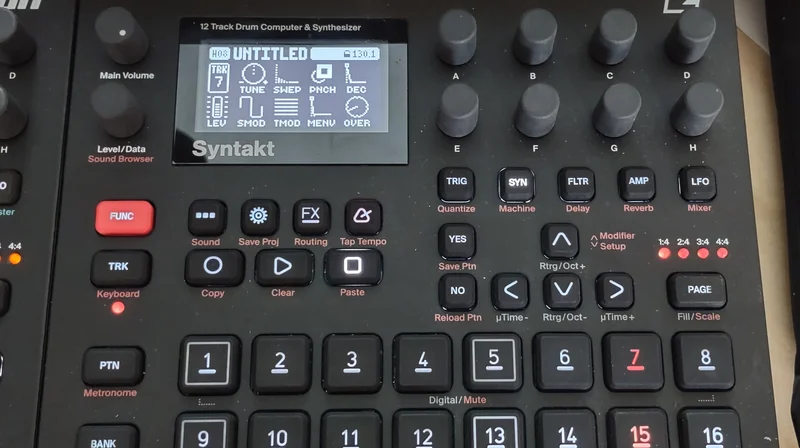
Photo: Systemtechniker, CC BY-SA 4.0, via Wikimedia Commons

Step Sequencer vs Piano Roll: Choosing the Right Interface for Browser Music Tools
Introduction
Almost every piece of music software that lets you program notes instead of playing them live picks one of two interaction models: a step sequencer or a piano roll. They solve the same underlying problem — turning a sequence of intentions into a stream of timed note events — but they optimize for different things, and that choice shapes what an instrument feels good for.
What a step sequencer is good at
A step sequencer divides a pattern into a fixed grid of equal time slots (16 steps to a bar is the classic layout) and lets you toggle each slot on or off per track. It traces directly back to early drum machines like the TR-808 and TR-909, and that lineage shows: it's built for rhythm. Programming a kick-snare-hihat pattern is a matter of tapping cells, the grid makes timing relationships visually obvious at a glance, and because every step is quantized to the grid by construction, there's no risk of an accidentally off-beat hit. It's also naturally touch- and click-friendly, which is a big part of why it shows up so often in browser-based music tools.
What a piano roll is good at
A piano roll represents notes as horizontal bars on a vertical pitch axis against a horizontal timeline, with no fixed grid forcing every note into the same slot. That gives up the step sequencer's rhythmic simplicity in exchange for precision: exact note length, exact start time, velocity, pitch bends, and free-form melodic lines that don't fit neatly into 16 equal steps. It's the natural fit for melodic and harmonic material — a bassline, a chord progression, a solo — where the details between the grid lines are the point.
Why browser tools often start with step sequencing
A step sequencer's interaction model maps almost directly onto a grid of buttons, which makes it cheap to build, easy to learn without instruction, and forgiving on a touchscreen where fine-grained note dragging is fiddly. A piano roll asks more of both the interface (precise click-and-drag editing, zoom, snap settings) and the user (some existing notion of how the tool should feel). That's a big part of why so many browser-native music apps reach for a step grid first, even when they eventually add piano-roll-style editing for melodic parts.
Hybrid approaches
The two aren't mutually exclusive. Plenty of tools use a step grid for rhythm tracks and a piano roll (or a step grid with per-step pitch, note length, and micro-timing controls) for melodic ones, giving each part of a track the editing model it actually needs rather than forcing everything through one interface.
Conclusion
Step sequencer versus piano roll isn't really a competition — it's a question of what you're programming. Rhythm wants a grid; melody wants precision. Knowing which problem you're solving is the first decision in designing (or picking) a sequencing tool.
Want to try the step-grid approach yourself? Our browser-based Sequencer is a live example, no install required.