
The Angular Audio App Suite: An Overview
Introduction
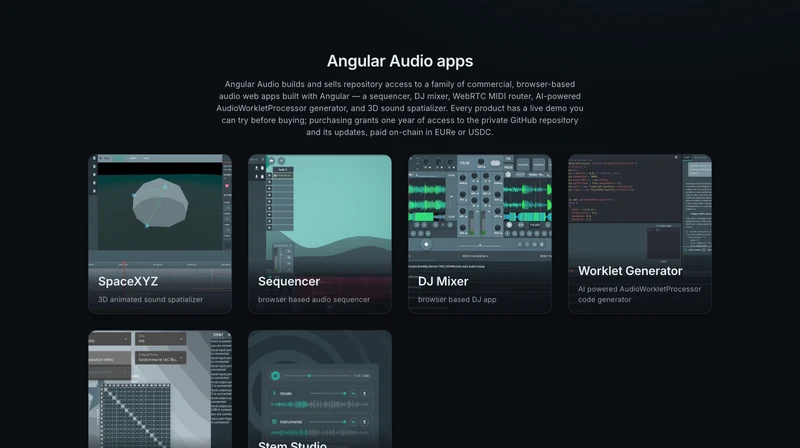
Angular Audio is a family of six commercial, browser-based audio apps, all built with Angular and the Web Audio API. Each one ships as a private npm package with a live demo you can try for free, and repo access is sold separately per app. This article is a quick tour of what each app does, so you can jump straight to the one you need.

SpaceXYZ
SpaceXYZ is a 3D sound spatializer for the browser. It positions and animates audio sources in 3D space using VBAP, DBAP, and HRTF panning, with a timeline for automating movement and realtime visual feedback on where each source is playing from. It's built for sound designers and developers who need spatial audio without leaving the browser.

Sequencer
Sequencer is a browser-based audio sequencer for playing and arranging sounds live. It comes with built-in effects, a file browser for loading your own samples, MIDI Learn for mapping hardware controllers, and time-stretching — all without installing anything.

DJ Mixer
DJ Mixer is a browser-based DJ app for blending, looping, recording, and syncing tracks live. It includes built-in effects and MIDI control, so you can mix from any browser without dedicated hardware or software.

Worklet Generator
Worklet Generator is an AI-powered AudioWorkletProcessor code generator. Describe the audio effect you want in plain language and get back working code, complete with an in-browser IDE, automatic error correction, and generated Jest tests — a fast way to write custom DSP without starting from a blank file.

WebRTC MIDI
WebRTC MIDI routes MIDI data between collaborators over WebRTC. Connect MIDI devices across the network through a routing matrix, with a chat terminal alongside and live latency indication so you know exactly how tight the connection is.

Stem Studio
Stem Studio splits any song into vocal and instrumental stems directly in the browser, using on-device AI (UVR-MDX-NET) — no uploads, no server round-trip. Remix each stem live and download the result as WAV.
Which one should you use?
If you need to place and move sound in 3D space, start with SpaceXYZ. For arranging and playing back samples, Sequencer. For live mixing and blending tracks, DJ Mixer. For writing custom real-time audio effects, Worklet Generator. For routing MIDI between collaborators over the network, WebRTC MIDI. And for isolating vocals or instrumentals from an existing track, Stem Studio.
Every app has a free live demo, so the fastest way to decide is to try it. Browse the full lineup on the products page, or reach out at contact@angular-audio.com if you have questions about which app fits your project.